
In 2005, discovering new music meant browsing record shops, watching late-night TV, or borrowing your friend’s burned CD. By 2015, it meant clicking whatever Spotify’s Discover Weekly put in front of you. In 2026, it means all of that has been filtered, algorithmized, and turned into a feature set. The shift hasn’t been entirely good or entirely bad. But it has been enormous, and anyone who cares about music and audio should understand what’s actually changed. The Algorithm as Curator Spotify, Apple Music, YouTube Music, and Tidal all use recommendation algorithms. These work by analysing your listening habits, cross-referencing them with millions of other users, and serving you music that people with similar taste profiles enjoyed. When it works, it’s extraordinary. You hear artists you never would have found through human curation alone. Niche genres that couldn’t sustain a record shop shelf now have global audiences because the algorithm connects scattered listeners into a market. When it doesn’t work, it creates a feedback loop. You listen to one kind of thing, the algorithm serves you more of the same kind of thing, and your taste narrows instead of broadening. The diversity of available music has never been higher — but individual listening habits are often becoming more homogeneous. What Got Lost A few things that physical media and radio provided that streaming struggles to replicate: Context. An album was a curated sequence. Streaming reduced music to individual tracks in playlists, and a lot of artistic intention got lost in that transition. Scarcity. When you owned twelve albums, you listened to each one dozens of times. When you have access to eighty million songs, nothing gets that level of attention. The paradox of choice applies to music as much as anything else. Locality. Record shops and local radio created geographic music communities. Streaming is global by default, which is great for access but less great for the development of regional sounds. What We Gained Access. An artist in Nairobi and a listener in Stockholm can connect instantly. That was impossible before streaming. Independence. Artists no longer need a record deal to reach an audience. Platforms like Bandcamp, SoundCloud, and DistroKid made self-distribution viable. Discovery breadth. Coverage of the music and entertainment space — through outlets tracking entertainment, media, and digital culture trends — shows how streaming has become the central pipeline for discovering not just songs but entire genres, artists, and movements that wouldn’t have crossed borders in the pre-digital era. Where It’s Going The next wave is likely social. TikTok already drives more music discovery than any dedicated music platform. Short-form video is the new radio — and the songs that go viral on social platforms consistently outperform traditional playlist placements in terms of streaming numbers. For independent musicians and audio creators, the implication is clear: visibility now depends as much on visual content and social presence as it does on the music itself. Whether that’s a positive development depends on who you ask — but it’s the reality either way. Listening Recommendation: If you want to escape the algorithm, try Bandcamp’s editorial pages or NTS Radio’s archived shows. Both prioritize human curation over machine learning. You can also explore our guide to an optimal recording workflow if you want to put music out there yourself. Before you start recording though, ensure to read our guide that compares phone and laptop recording.
Understanding Audio Formats: MP3, WAV, FLAC and When to Use Each
Not all audio files are created equal. The format you choose affects everything from sound quality and file size to compatibility and whether you can edit the file later without degradation. Yet most people choose audio formats by default; whatever their device spits out, whatever Spotify downloads, whatever seems to work. Understanding the difference between lossy and lossless compression, and knowing which format suits which purpose, is fundamental knowledge for anyone working with sound. Here’s a clear breakdown of the four most important audio formats. MP3: The Universal Compromise The MP3 format (MPEG Audio Layer III), developed by the Fraunhofer Institute in Germany during the early 1990s, revolutionized how the world consumes music. It works by removing audio data that the human ear is least likely to perceive, a process called psychoacoustic compression. At 128kbps, an MP3 file is roughly one-tenth the size of an equivalent WAV file. At higher bitrates (256–320kbps), MP3 quality approaches near-transparent listening for most people. A 2014 study by researchers at the Harman International acoustics lab found that trained listeners could only reliably distinguish 320kbps MP3 from lossless audio about 52% of the time, which is essentially random chance. Best for: streaming, portable music playback, podcasts, and any situation where file size matters more than archival quality. File size: approximately 1MB per minute at 128kbps; 2.4MB per minute at 320kbps. WAV: The Uncompressed Standard WAV (Waveform Audio File Format) stores audio as raw, uncompressed PCM data. What the microphone captures is exactly what the file contains; no data is removed, no compression is applied. This makes WAV the standard working format in professional audio production, from recording studios to film post-production. The trade-off is size. A standard CD-quality WAV file (44.1kHz, 16-bit stereo) consumes approximately 10MB per minute. High-resolution recordings at 96kHz/24-bit can exceed 30MB per minute. Storage is cheap, but transferring large WAV files over email or streaming services remains impractical. WAV files also have limited metadata support; you can’t embed album art, lyrics, or extensive track information the way you can with MP3 or FLAC. Best for: recording, editing, mixing, mastering; essentially, any stage of audio production where quality cannot be compromised. FLAC: Lossless With Smaller Files FLAC (Free Lossless Audio Codec) compresses audio without losing any data: like a ZIP file for sound. When you decompress a FLAC file, you get back the exact original audio, bit for bit. FLAC files are typically 50–70% the size of equivalent WAV files, making them significantly more storage-efficient while maintaining identical audio quality. FLAC supports high-resolution audio (up to 32-bit/655kHz), embedded metadata, and album art. It’s the preferred format for digital music archiving and audiophile distribution. Services like Tidal, Qobuz, and Amazon Music HD use FLAC or equivalent lossless formats for their highest-quality streaming tiers. The main limitation is compatibility. While Android devices and most desktop software support FLAC natively, Apple’s ecosystem (iTunes, iPhone, HomePod) does not; Apple uses its own lossless format, ALAC, instead. Best for: music archiving, audiophile listening, long-term storage where quality preservation matters. AAC: The Modern MP3 Alternative AAC (Advanced Audio Coding) is the successor to MP3, developed as part of the MPEG-4 standard. At the same bitrate, AAC generally delivers better audio quality than MP3, particularly at lower bitrates below 192kbps. Apple adopted AAC as the default format for iTunes, Apple Music, and all iOS devices. AAC at 256kbps (the Apple Music standard) is widely considered transparent, indistinguishable from lossless audio in normal listening conditions. YouTube, Spotify (on mobile), and most modern streaming platforms also use AAC internally. Best for: Apple ecosystem, streaming, mobile devices, and general listening where broad compatibility with modern platforms is needed. Quick Comparison At a glance: MP3 at 320kbps runs about 2.4MB/min with good quality and universal compatibility. WAV at 44.1/16 runs about 10MB/min with perfect quality and is the editing standard. FLAC at 44.1/16 runs about 5–7MB/min with perfect quality and is ideal for archiving. AAC at 256kbps runs about 2MB/min with very good quality and is the modern streaming standard. Which Should You Use? Record and edit in WAV. Archive your masters in FLAC. Distribute and stream in MP3 (320kbps) or AAC (256kbps). This workflow preserves maximum quality at every stage while keeping distribution files practical. If storage isn’t a concern and you want one format for everything with mobile phone recording, FLAC gives you lossless quality with reasonable file sizes and rich metadata support. It’s clear that streaming platforms have changed how we listen to music and by following detailed recording guides, you’ll be positioned to deliver quality always.
How to Record Professional Audio Using Just Your Smartphone
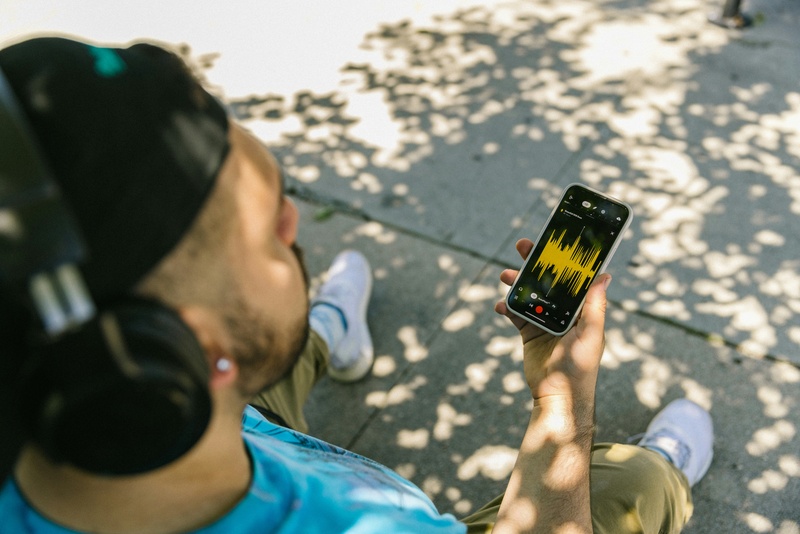
The microphones built into modern smartphones are surprisingly capable. Apple’s iPhone 15 Pro and Samsung’s Galaxy S24 Ultra both feature multi-microphone arrays originally designed for voice calls and video recording; but with the right technique and minimal equipment, they can produce audio that rivals budget studio setups. Whether you’re recording a podcast, capturing music demos, producing voiceovers, or documenting field audio, your smartphone can deliver professional results. The key is understanding its limitations and compensating for them strategically. Upgrade Your Microphone The built-in mic on your phone is an omnidirectional microphone designed to pick up sound from all directions: great for phone calls, terrible for focused recording. An external microphone is the single most impactful upgrade you can make. For spoken word and podcasting, lavalier (clip-on) microphones like the Rode SmartLav+ or Boya BY-M1 connect directly to your phone’s headphone jack or Lightning/USB-C port and cost between $20 to $60. For music and ambient recording, the Shure MV88 or Zoom iQ7 provide stereo condenser quality in a pocket-sized form factor. If your phone lacks a headphone jack (most modern phones don’t), you’ll need a Lightning-to-3.5mm or USB-C-to-3.5mm adapter. Apple’s official adapter costs $9 and handles the digital-to-analog conversion cleanly. In all, understand audio formats and when to use each. Control Your Recording Environment Room acoustics matter more than microphone quality. A $300 mic in a reflective, echoey room will sound worse than a $20 lavalier in a treated space. The Physics of Sound laboratory at the University of Salford found that room reflections degrade speech intelligibility by up to 30% in untreated environments. You don’t need professional acoustic panels. Record in a small, furnished room; closets filled with clothes are surprisingly effective makeshift vocal booths. Hang blankets on walls or over stands to absorb reflections. Close windows, turn off air conditioning, and silence refrigerators and other appliances. Background noise that your ears filter out will be mercilessly captured by the microphone. Choose the Right Recording App Your phone’s default voice recorder compresses audio to save space, which degrades quality. Dedicated recording apps offer uncompressed formats, manual gain control, and professional monitoring features. For iOS, Ferrite Recording Studio is the industry standard for podcast recording and editing; it supports multi-track recording, noise reduction, and direct export to WAV or ALAC. Voice Record Pro offers similar features with a simpler interface. For Android, RecForge II and ASR Voice Recorder both support WAV recording at 44.1kHz/16-bit (CD quality) or higher. Set your recording format to WAV or FLAC at 44.1kHz minimum. You can always compress later, but you can never recover quality lost during recording. Recording Technique Essentials Distance is everything. For speech, position the microphone 15–20 centimetres from your mouth. Too close and you’ll get plosive distortion on P and B sounds; too far and room reflections dominate. A simple pop filter, even a folded tissue held between your mouth and the mic, reduces plosives dramatically. Enable airplane mode before recording. Nothing ruins a take like a notification sound. Monitor your levels if your app supports it; peaks should reach about -12dB to -6dB, leaving headroom for loud moments without clipping (distortion from overloading the microphone). If the waveform hits the top of the display, you’re too loud or too close. Basic Editing and Post-Production Raw recordings almost always benefit from light editing. Free software like Audacity (desktop) or GarageBand (iOS/Mac) handles the essentials: trimming dead air, normalizing volume, applying noise reduction, and adding gentle compression to even out quiet and loud passages. The golden rule of editing: fix problems during recording, not in post. No amount of noise reduction can save a recording made next to an open window on a busy street. However, Audacity’s noise profile feature can effectively remove consistent background noise (fan hum, air conditioning, electrical buzz) without degrading the primary audio. Final Tips Always record a 10-second silence sample at the start of each session. This “room tone” is essential for noise reduction calibration during editing. Use headphones to monitor while recording; they reveal problems your phone speaker masks. And always, always make a backup of your original unedited recordings before you start cutting. If you can, compare phone and laptop recording quality.
Distance Recording Case Studies Phone Setups: A Complete Guide for Readers
In today’s fast-paced digital environment, mastering distance recording case studies phone setups has become essential for professionals, researchers, and students. Whether you are conducting remote interviews, gathering audio data for research, or recording meetings and lectures, having an effective mobile recording setup can significantly enhance the quality and reliability of your work. This comprehensive guide explores practical techniques, best practices, and professional tips for creating high-quality distance recording case studies phone setups. It is tailored for readers who want actionable advice on mobile recording techniques, remote audio solutions, and optimized phone setups for case studies. Why Distance Recording Matters for Case Studies Distance recording is more than just pressing the record button on your phone. It allows researchers, educators, and professionals to gather data from multiple locations efficiently, minimizing costs and logistical challenges. Benefits of Using Phone Setups for Case Studies Using mobile devices for recording case studies offers several advantages. First, phones are portable and widely accessible, making them ideal for on-the-go research. Second, modern smartphones support high-quality audio formats, ensuring recordings are clear and reliable. Third, phone-based setups are cost-effective compared to specialized recording equipment, allowing researchers to focus resources on other project needs. Applications Researchers and professionals increasingly rely on mobile distance recording for various purposes. From academic interviews to corporate research, remote audio recording solutions have become a standard method for collecting accurate, real-time data without geographical limitations. Essential Components of Distance Recording Case Studies Phone Setups Creating an effective phone recording setup requires attention to several components, from hardware to software. External Microphones: While built-in phone microphones are convenient, they often pick up ambient noise. External microphones, such as lavalier or shotgun mics, improve clarity and reduce background interference, ensuring professional-quality audio. Pop Filters and Windshields: These accessories prevent unwanted noise from wind and speech plosives, which is especially important for outdoor recordings or interviews conducted in noisy environments. Tripods and Mounts: Stable recording setups are essential for consistent audio quality. Tripods or phone mounts prevent handling noise and allow for precise positioning of the microphone relative to the speaker. Recording Apps and Software: Modern mobile apps provide advanced features like gain control, noise reduction, and multiple track recording. Selecting the right app is critical for achieving professional-grade recordings on a phone. Best Practices for Mobile Recording Techniques for Case Studies Adopting the right techniques ensures that recordings are clear, consistent, and suitable for analysis. Positioning the Phone and Microphone Distance and angle matter. Placing the phone at a proper distance from the speaker reduces distortion and captures natural sound. Experimenting with microphone placement helps identify the optimal setup for different recording environments. Controlling Background Noise Whenever possible, record in quiet spaces. If recording outdoors or in dynamic environments, use directional microphones and noise reduction tools to minimize interference. Monitoring Audio Levels Regularly check audio levels during recording to avoid clipping or inaudible sound. Many mobile apps provide visual indicators to ensure consistent volume. Multiple Takes Recording multiple takes or having backup devices ensures that critical information is not lost due to technical issues. Advanced Phone Recording Setups for Remote Audio Recording Solutions For more complex projects, advanced setups enhance flexibility and quality. Multi-Device Recording Using multiple phones or devices allows simultaneous recording from different angles or locations, which can later be synchronized for comprehensive analysis. Wireless Audio Transmission Bluetooth microphones and Wi-Fi audio transmitters enable distance recording without physical constraints. This is especially useful for large spaces or interviews conducted across rooms. Integration with Cloud Services Recording apps that sync with cloud storage allow immediate backup and remote access, ensuring data security and facilitating collaboration among research teams. Remote Study Recording Methods Distance recording is particularly valuable for academic studies and professional research conducted remotely. Scheduled Recording Sessions Coordinating remote participants via video or voice calls allows structured recording sessions. Using apps that support scheduling and automatic recording helps maintain consistency. Participant Guidance Providing instructions to participants on microphone placement and environment control improves recording quality. Clear communication ensures that the data collected is usable and reduces the need for extensive post-processing. Data Management and Organization Organizing recordings with clear naming conventions, metadata, and timestamps is essential for case study research. Proper data management allows efficient analysis and easier reference in reports or publications. Common Challenges and How to Overcome Them While mobile distance recording is convenient, it presents challenges. 1. Connectivity Issues Remote recordings may suffer from poor network connections, leading to interruptions. Using offline recording apps or ensuring stable internet connections mitigates these problems. 2. Battery Life Long recording sessions can drain phone batteries quickly. Using power banks, charging while recording, or managing recording duration helps avoid interruptions. 3. Ambient Noise Even with advanced microphones, unexpected noises can affect quality. Noise reduction software, soundproofing techniques, and controlled environments help address this issue. 4. Compatibility and File Formats Different apps and devices may produce incompatible formats. Standardizing recording formats ensures seamless integration with editing and analysis software. Tips for Optimizing Distance Recording Case Studies Phone Setups 1. Plan Before Recording Outline your objectives, select the appropriate equipment, and choose the ideal recording environment before starting. Planning reduces errors and improves efficiency. 2. Test Your Setup Conduct test recordings to identify potential issues with audio quality, microphone placement, or app settings. Adjustments before the main session save time and effort. 3. Backup and Redundancy Always maintain backup recordings on separate devices or cloud storage. Redundancy protects valuable research data against technical failures. 4. Regular Maintenance Keep devices and accessories clean, updated, and charged. Proper maintenance ensures consistent performance and reduces the risk of equipment failure during critical recordings. Conclusion Mastering distance recording case studies phone setups is essential for researchers, professionals, and students who rely on high-quality remote audio collection. By understanding mobile recording techniques, investing in appropriate equipment, and applying best practices, it is possible to achieve professional results using widely available phone setups. From basic interviews to complex multi-device recordings, the strategies outlined in this guide help readers maximize efficiency,
Comparison: Phone vs Laptop Podcast Recording
Podcasting has exploded in Turkey and around the world. Many creative voices are emerging from Istanbul, Ankara, İzmir and beyond with stories, interviews and educational content. Whether you are just starting or looking to upgrade your setup, understanding the phone vs laptop podcast recording can change how you produce your episodes. This detailed guide helps you decide which tool fits your needs, budget and quality expectations. Podcasting is both art and craft. While content remains king, the recording quality plays a huge part in listener engagement. Tech options now range from simple mobile setups to professional laptop-based studios. In the discussion of phone vs laptop podcast recording we explore practical experiences, real-life workflows and recommendations specifically useful for creators in Turkey and globally. We cover everything from sound quality and software ecosystems to workflow, accessories and long-term growth for your podcast. Let’s dive in. Why the Comparison Matters for Podcasters in Turkey Podcast listenership in Turkey has grown rapidly. Platforms like Spotify, Apple Podcasts and local RSS feeds host diverse shows in Turkish and international languages. As more people enter the game, creators ask a common question: should I rely on my smartphone or use a laptop as the core of my recording setup? Choosing wrongly can lead to frustration, low audio quality or limitations when your podcast grows. Choosing smartly speeds up your workflow and gives listeners a pleasant audio experience. This article will clarify all of that and help you choose confidently. Understanding the Basics: Phone Podcast Recording Podcast recording on a phone has become increasingly popular. Modern smartphones have powerful microphones, easy software and portability that was unheard of just a few years ago. For beginners especially, capturing content with a phone is accessible and inexpensive. The Advantages of Recording on a Phone Smartphones are incredibly convenient. You likely carry yours everywhere. Recording episodes directly with a phone simplifies the process. No cables, no complex software. This appeals to new podcasters and creators on the go. Compared to laptops, phones are lighter, more portable and easy for quick interviews at events or outdoor locations. If your podcast style is spontaneous, mobile recording can be ideal. Common Challenges with Phone Podcast Recording Despite their benefits, phones still have limitations. Built-in microphones are optimized for voice calls and ambient sound. They often pick up background noise. For professional-sounding results, you need external microphones that connect via USB-C or Lightning ports, adapters and sometimes extra power sources. Without suitable external hardware, even the best phone mics can fall short of studio-quality audio. Editing on a phone can also be less precise compared to a laptop. Small screens and simplified software interfaces can make fine-tuning sound and mastering episodes more challenging. Exploring Laptop Podcast Recording Using a laptop for podcast recording provides more flexibility, power and control. Whether you are recording at home or in a shared studio, laptops support a wide range of professional-grade tools and accessories. Why Laptops Are Popular with Serious Podcasters Laptops offer larger screens and more powerful software. Editors like Audacity, Adobe Audition and GarageBand (on Apple laptops) provide full-featured audio editing environments. With laptops, you can record multiple tracks, apply advanced effects and mix your audio with precision. Laptops also support robust external hardware. USB audio interfaces, mixers and professional microphones can all connect easily. This expands your recording capability beyond what phones typically allow. You can also manage your entire podcast workflow on a laptop. Writing scripts, managing RSS feeds, creating show notes and uploading episodes becomes smoother with access to full browser and file systems. Possible Downsides of Using Laptops Laptops are heavier, bulkier and less convenient when you need to record outside. They also require more setup, power outlets and sometimes additional gear like stands and audio interfaces. Beginners might face a steeper learning curve with professional software. But once you master it, the result is almost always higher quality and more flexible than basic phone setups. Head-to-Head: Phone vs Laptop Podcast Recording Comparing phones and laptops for podcasting isn’t just about raw power versus convenience. It’s about which tool supports your goals. Audio Quality Sound quality is the most important factor for listeners. Clear, crisp audio makes a huge difference in listener retention. Phones have decent built-in mics, but they struggle in noisy environments. External phone mics improve this, but are still somewhat limited by mobile hardware. Laptops, paired with professional microphones and audio interfaces, deliver richer, cleaner and more dynamic recordings. You can control gain, monitor with headphones and adjust settings in real time. In a direct phone vs laptop podcast recording quality, laptops generally come out ahead. Workflow and Ease of Use Phones win in simplicity. Recording apps minimize setup and let you capture audio quickly. This is perfect for solo episodes, informal talks, or interviews on the move. Laptops require more planning. You connect gear, open software and adjust settings. But the payoff is better control and depth of editing. If you value speed and mobility, phones are excellent. If you value fine-tuned production and quality, laptops give you more. Portability Portability favors phones. You can record almost anywhere with no bulky equipment. For outdoor recordings, live events or interviews at locations, phones are unmatched. Laptops are semi-portable but best used in stable environments like home studios or dedicated spaces. Editing and Post-Production Laptops dominate this area. Advanced software offers precise editing, noise reduction, normalization and mastering tools. Mobile editing apps improve yearly but still lag behind desktop tools. When comparing Phone vs laptop podcast recording from an editing perspective, laptops provide the depth and sophistication professionals need. Cost Considerations Initial cost might seem lower for phones, especially if you already own one. But high-quality external mics, adapters and accessories add up. In contrast, laptops require investment in gear but become long-term assets for multiple creative projects. A mid-level podcasting setup on a laptop can cost more upfront, but it delivers scalable potential as your podcast grows. Podcast Recording on Phone or Laptop: Ideal Scenarios Choosing between phone
Learn Guitar Online: The Ultimate Guide for Beginners and Enthusiasts
Learning to play the guitar has never been more accessible than it is today. With the rise of digital education, music lovers can now learn guitar online from the comfort of their homes. Whether you are a complete beginner aiming to strum your first chords or an intermediate player seeking to refine your technique, online guitar courses offer structured lessons, interactive tools, and personalized guidance that make learning efficient and enjoyable in 2025. Why Learn Guitar Online The traditional way of learning guitar involved attending in-person classes, which often required fixed schedules, commuting, and higher costs. Online guitar lessons have revolutionized this process, offering unique advantages for learners. Flexibility and Convenience One of the biggest benefits of choosing to learn guitar online is the ability to schedule lessons around your lifestyle. You can practice at any time, pause lessons when needed, and revisit tutorials multiple times to master difficult techniques. Access to Global Expertise Online platforms connect learners with experienced guitar instructors from around the world. This means students can learn diverse styles, from classical and flamenco to rock, jazz, and fingerstyle, without being limited by local resources. Cost-Effective Learning Online guitar courses are often more affordable than in-person classes. Many platforms offer subscription models, pay-per-course options, or even free resources, allowing students to start learning without a significant upfront investment. Personalized Learning Experience Many online platforms provide interactive tools such as chord libraries, backing tracks, metronomes, and progress tracking. These features enable a tailored learning experience that adapts to the student’s pace and skill level. How to Choose the Right Online Guitar Course With numerous options available, choosing the best guitar course online can be overwhelming. Learners should consider several factors to ensure a productive learning experience. Course Structure and Curriculum: Look for courses that provide a clear progression from beginner to advanced levels. A well-structured curriculum typically includes chord basics, strumming patterns, finger exercises, music theory, and song tutorials. Instructor Expertise: Check the background and teaching experience of instructors. Courses taught by professional guitarists with proven teaching methods offer higher quality instruction and practical insights. Student Support and Community: Some platforms provide access to forums, live Q&A sessions, or one-on-one mentoring. Engaging with other learners and instructors can enhance motivation and provide additional feedback on your playing. Technical Requirements: Ensure the course is compatible with devices you plan to use, such as laptops, tablets, or smartphones. High-quality video and audio are essential for accurate learning, particularly for beginners. Reviews and Success Stories: Reading testimonials from other students or global users can give insight into course effectiveness, teaching style, and overall satisfaction. Essential Equipment for Learning Guitar Online Before starting to learn guitar online, it is important to have the right equipment to maximize progress. Choosing Your Guitar For beginners, a classical or acoustic guitar is often recommended due to softer strings and easier playability. Electric guitars are ideal for those interested in rock, metal, or jazz styles, but require additional equipment like amplifiers. Accessories Essential accessories include a tuner, capo, guitar picks, and a comfortable strap. Optional items such as finger exercisers, metronomes, and a stand can further enhance practice efficiency. Reliable Internet and Video Setup A stable internet connection is crucial for streaming lessons without interruptions. Position your camera to capture your hands and fretboard clearly, enabling instructors to provide accurate feedback. Top Techniques to Master When Learning Guitar Online Online guitar courses cover a variety of techniques and skills that help learners progress systematically. Chord and Scale Mastery: Understanding and practicing chords and scales is foundational. Beginners should start with basic open chords and gradually move to barre chords and complex chord voicings. Strumming and Picking Patterns: Proper strumming and picking techniques develop rhythm and timing. Online lessons often include slow-motion demonstrations and interactive exercises to perfect these skills. Fingerstyle and Lead Guitar Techniques: Intermediate learners can explore fingerstyle, tapping, hammer-ons, pull-offs, and slides. These techniques enhance versatility and prepare students for advanced playing styles. Music Theory and Ear Training: A basic understanding of music theory, including keys, intervals, and chord progressions, allows learners to play songs more confidently. Ear training exercises improve pitch recognition and improvisation skills. Common Challenges and How to Overcome Them Learning guitar online presents unique challenges, but with proper strategies, they can be effectively addressed. Motivation and Discipline Without a physical classroom, staying motivated can be difficult. Set regular practice schedules, track progress, and reward milestones to maintain consistency. Technical Limitations Poor video quality or lag can hinder learning. Investing in a good camera, microphone, and internet connection ensures a smoother experience. Correcting Mistakes Self-learning may lead to developing bad habits. Recording your practice sessions and sharing them with instructors or peers for feedback helps identify and correct mistakes early. Overcoming Plateaus Skill plateaus are common. Varying practice routines, learning new songs, and exploring different genres keeps practice engaging and accelerates improvement. Benefits of Online Guitar Learning for Students Learning guitar online offers both personal and professional advantages. Personal Enjoyment and Creativity Guitar playing fosters creativity, relieves stress, and provides a sense of accomplishment. Personalized online courses allow students to pursue the styles and songs they love. Career Opportunities Skilled guitarists can explore opportunities such as performing in bands, producing music, teaching online, or creating content for social media platforms. Social Connection Many online courses encourage students to join virtual communities, collaborate with other musicians, and participate in online recitals or competitions. Lifelong Learning Online platforms enable continuous growth. Even after achieving proficiency, students can explore new genres, techniques, and advanced courses without geographic constraints. Tips for Maximizing Progress When Learning Guitar Online To get the most out of your online guitar lessons, consider the following strategies: Set clear goals for each practice session, whether learning a chord, song, or technique Practice consistently, even for short daily sessions, to reinforce muscle memory Record and review your playing to track improvement and identify areas for correction Use interactive tools such as metronomes, backing tracks, and tuners to enhance skill development
Music Guide: Everything You Need to Start Your Musical Journey in 2025
Music has a universal language that connects people across cultures, and Turkey is no exception. Whether you are a complete beginner or someone looking to deepen your skills, a well-structured music guide can make your journey enjoyable and efficient. From understanding basic music theory to learning instruments and exploring modern and traditional styles, knowing where to start is essential. This guide will provide readers in Turkey with practical, step-by-step advice on learning music, choosing the right instruments, and understanding both theory and practice. Whether your goal is to play an instrument professionally, create your own compositions, or simply enjoy music more deeply, this ultimate guide covers everything you need. Why a Music Guide is Essential for Beginners Understanding the Basics A music learning guide helps beginners understand the fundamentals of rhythm, melody, and harmony. Without a structured approach, it is easy to feel overwhelmed by the wide variety of instruments, genres, and learning methods available. Avoiding Common Mistakes Many beginners struggle with incorrect posture, improper finger placement, or misunderstanding music notation. A comprehensive music guide helps prevent these early mistakes and ensures faster, more effective learning. Providing a Clear Learning Path Step-by-step instructions, structured practice routines, and clear objectives make a significant difference. A good music guide for beginners shows you exactly where to start and how to progress systematically. Exploring Music Theory The Importance of Music Theory Understanding music theory is like learning the grammar of a language. It allows you to read sheet music, compose your own songs, and communicate effectively with other musicians. Core Concepts Notes and Scales: Learn the building blocks of music and how they create melodies. Chords and Harmony: Understand how different notes work together to form pleasing sounds. Rhythm and Timing: Master the art of keeping time and using rhythm creatively. Key Signatures and Modes: Explore different tonalities to enhance your compositions. Online Resources Many platforms offer interactive music theory lessons. For Turkish readers, online courses, tutorials, and apps in both Turkish and English make learning accessible and engaging. Choosing Your First Instrument Factors to Consider Selecting the right instrument is crucial for maintaining motivation and developing your skills. Consider your goals, physical comfort, and the type of music you enjoy. Piano: Excellent for learning music theory and versatility in genres. Guitar: Popular and portable, suitable for contemporary music. Violin: Offers classical and folk music opportunities, requires dedication. Wind Instruments: Flute, saxophone, and clarinet provide unique melodic possibilities. Beginner’s Guide to Music Instruments Start with instruments that are easy to handle and maintain. Many beginners benefit from digital keyboards, ukuleles, or entry-level acoustic guitars before progressing to more advanced instruments. Practice Tips Dedicate consistent daily practice Start with simple songs and scales Record yourself to track progress Seek feedback from teachers or online communities Step-by-Step Music Learning Guide Step 1: Set Clear Goals Define whether your focus is playing an instrument, singing, composing, or understanding music theory. Goals help structure your practice sessions effectively. Step 2: Create a Practice Schedule Consistency is key. Short, frequent practice sessions are more effective than long, irregular ones. Aim for at least 30 minutes daily, gradually increasing as skills improve. Step 3: Learn to Read Music Sheet music is the universal language of musicians. Understanding notation, rhythms, and symbols accelerates learning and opens the door to advanced music study. Step 4: Combine Theory with Practice Apply what you learn in theory directly to your instrument. Practice scales, chords, and melodies regularly. Step 5: Explore Different Genres Experimenting with classical, jazz, rock, Turkish folk, or pop music improves versatility and keeps learning enjoyable. Step 6: Record and Evaluate Yourself Recording sessions allow you to identify areas for improvement and track progress over time. Step 7: Perform and Collaborate Playing with others, performing online, or joining local music groups enhances confidence and practical experience. Tools and Resources for Music Learning Music Theory Guide Online Websites and apps provide interactive exercises, quizzes, and video tutorials. Platforms with visual aids make complex concepts easier to grasp. Mobile Apps and Software Metronome apps for rhythm practice Tuner apps for accurate instrument tuning Digital sheet music libraries for learning songs Community Learning Engage with online forums, social media groups, or local music schools. Sharing experiences and asking questions accelerates growth. Common Challenges and How to Overcome Them Staying Motivated Learning music can be challenging. Break down goals into manageable steps, celebrate small achievements, and maintain a balanced practice schedule. Avoiding Plateaus Change practice routines periodically, explore new genres, or switch instruments temporarily to stay engaged and improve skills. Dealing with Performance Anxiety Practice performing in front of friends, family, or online audiences. Gradual exposure helps build confidence over time. Finding the Right Teacher Whether online or in-person, an experienced teacher can provide personalized feedback, correct mistakes early, and guide your progress efficiently. Music Trends and Opportunities in Turkey Popular Genres Turkish audiences enjoy a mix of traditional folk music, contemporary pop, rock, jazz, and fusion. Understanding local preferences can guide your learning and performance choices. Music Education Growth More online courses, apps, and local workshops make learning accessible. Universities and conservatories in Turkey also provide formal music education for serious students. Performance and Career Opportunities For aspiring professionals, live performances, social media platforms, and music festivals offer opportunities to showcase skills, collaborate, and build a career. Conclusion Whether your goal is personal enjoyment or professional growth, this ultimate music guide equips you with the knowledge and strategies to succeed. By following a structured approach, combining theory and practice, and using available tools, Turkish learners can confidently explore the world of music. With dedication, curiosity, and consistent practice, anyone can unlock the joy of creating and performing music, making this guide a valuable companion on your musical journey.
Recording Workflow Tips for Phone Creators: Boost Your Mobile Content Game
Creating professional-quality videos with just a smartphone is no longer a dream. With the rise of social media, Turkish content creators are increasingly turning to their phones as the primary tool for recording videos. However, capturing great footage requires more than just pointing your phone and hitting record. Understanding recording workflow tips for phone creators can dramatically improve video quality, save time, and streamline your creative process. Whether you are an aspiring influencer, a TikTok star, or a professional content creator, mastering your mobile recording workflow tips for phone creators will help you produce polished, engaging content that resonates with your audience. In this guide, we explore practical, actionable tips tailored for creators in Turkey who want to elevate their mobile video production. Why a Strong Recording Workflow Matters A well-defined workflow is essential for consistent results. Without a structured approach, creators often struggle with disorganised footage, inconsistent lighting, poor audio quality, and time-consuming edits. Benefits of a Streamlined Mobile Workflow Saves time during recording and editing Ensures consistent visual and audio quality Reduces mistakes and retakes Allows creators to focus on storytelling and creativity Makes collaboration with editors or teams smoother Having a solid workflow helps creators in Turkey compete with international standards while using only a smartphone. Pre-Recording Preparation: Set Yourself Up for Success Plan Your Content Before recording, outline your video goals and structure. Define the type of content you want to create, whether it’s educational, entertaining, or promotional. Script key points if necessary, but keep it natural to avoid sounding robotic. Choose the Right Location Lighting is one of the most important aspects of phone video recording. Natural light is ideal, but for indoor settings, invest in a ring light or softbox. Ensure minimal background noise and a clean, visually appealing backdrop. Prepare Your Phone Clean your phone lens for sharp visuals Enable Do Not Disturb mode to prevent interruptions Charge your phone and carry a backup power source Free up storage to avoid running out of space mid-recording Gather Accessories Though smartphones are powerful, a few accessories can elevate your workflow: Tripod or stabilizer for steady shots External microphone for clear audio Lens attachments for wide-angle or macro shots Reflectors to control lighting Recording Techniques for Phone Creators Composition and Framing Proper framing enhances visual appeal. Use the rule of thirds to guide positioning. Keep the subject in focus, avoid cluttered backgrounds, and maintain consistent framing throughout scenes. Camera Settings Most smartphones offer advanced camera settings that creators often overlook: Lock exposure and focus to prevent shifts during recording Record in the highest available resolution and frame rate Consider shooting in 4K if your device and storage allow Stabilization Shaky footage reduces professionalism. Use a tripod, gimbal, or simple handheld techniques like holding your elbows close to your body. If moving shots are necessary, plan smooth movements and practice beforehand. Audio Considerations Poor audio quality can ruin even the most visually stunning videos. Use external microphones, choose quiet locations, and monitor audio levels during recording. Even small improvements make a noticeable difference. Workflow for Recording Multiple Clips Segment Your Video Breaking your content into segments or scenes helps with focus and reduces the risk of mistakes. Record shorter clips and organize them logically for easier editing later. Label and Organize Files Keep recordings organized in folders with descriptive names. This saves time during post-production and prevents accidental deletion of important footage. Backup Footage Immediately Mobile phones are prone to accidental loss or crashes. Use cloud storage or external drives to secure recordings right after filming. Post-Recording Workflow Tips Quick Review and Selection Immediately after recording, review footage to flag the best takes. Delete unusable clips to avoid confusion during editing. Editing Workflow Use mobile editing apps optimized for efficiency, such as CapCut, InShot, or Adobe Premiere Rush Maintain consistent color grading and audio levels Add transitions, captions, or overlays strategically to enhance engagement Export Settings Export videos in formats suitable for your target platform. Adjust resolution, bitrate, and frame rate to maintain quality while keeping file sizes manageable. Tips to Improve Phone Video Recording Workflow Optimize Battery and Performance Recording in high resolution consumes battery and storage. Close unnecessary apps, lower screen brightness, and use airplane mode if possible. Batch Recording Film multiple videos in one session to maximize efficiency. Prepare scripts, outfits, and lighting to record several pieces of content without resetting your setup each time. Collaborate Efficiently If you work with editors or team members, share structured folders and detailed notes about each clip. Clear communication speeds up post-production. Monitor Analytics Analyze which videos perform best and adjust your workflow accordingly. This helps you focus on techniques that resonate with your audience and improve future recordings. Common Mistakes and How to Avoid Them Ignoring lighting and audio quality Shooting without planning or scripting Overloading the phone with unnecessary apps or files Neglecting stabilization during motion shots Failing to backup footage immediately Avoiding these mistakes allows Turkish creators to maintain a professional standard with minimal equipment. Advanced Techniques for Experienced Creators Multi-Camera Recording Some creators use multiple phones to capture different angles simultaneously. Sync clips in editing software for a more dynamic final video. Creative Lighting Techniques Experiment with diffused lighting, colored lights, or natural backlighting for a unique style. Planning lighting setups before shooting improves consistency. Audio Layering Combine voiceovers, background music, and sound effects to enrich storytelling. Record voiceovers in quiet rooms and use noise reduction tools in editing apps. Using Workflow Templates Develop a consistent workflow template for recurring video types. This speeds up planning, shooting, and editing while ensuring quality. Conclusion Mastering recording workflow tips for phone creators is essential for producing high-quality content efficiently. From pre-recording preparation and camera techniques to organized post-production, every step contributes to the professionalism and impact of your videos. Turkish creators can compete on global platforms by implementing structured workflows, using the right tools, and continually optimizing their process. By following these tips, creators can save time, improve consistency, and focus on what
Portable Phone Recording Studio on Budget: How to Build an Affordable Mobile Studio Without Breaking the Bank
If you want to record music, podcasts, interviews, or videos using just your phone and do it well without spending a fortune a portable phone recording studio on budget can be your best friend. Whether you’re in Istanbul, Ankara, or any other corner of Türkiye, having a budget‑friendly mobile studio setup means you can start creating content quickly, flexibly, and without needing a full professional studio. In this article I will walk you through everything you need to know to build an effective, affordable mobile studio using your smartphone. You don’t need expensive gear or a complicated setup. With a few smart, low‑cost choices and minimal space even a desk or small corner of a room you can build a ortable phone recording studio on budget that delivers surprisingly good audio quality. Let’s explore how. Why a Portable Phone Recording Studio on Budget Makes Sense for Many Mobility and flexibility Many creators and hobbyists don’t need a fixed studio maybe you record songs in different rooms, film videos outdoors, or travel often. A portable phone recording studio on budget gives you the freedom to record wherever you are. Lower cost barrier Professional studios require expensive equipment, acoustic treatment, and a dedicated room. A budget‑mobile studio can be assembled gradually and affordably ideal for beginners, students, or content creators on a tight budget. Works well for vlogging, podcasts, music demos If you make vlogs, tutorials, spoken‑word content, or music demos, a simple portable recording studio can be more than sufficient. With good audio even on a smartphone your content will stand out compared to raw phone mic recordings. Easy to expand later You can start small and basic now and upgrade individual parts (better mic, interface, headphones) later as your skills or budget grows. What You Need: Key Components for a Budget Mobile Studio To build a portable phone recording studio on budget, you don’t need many items. Focus on a few essentials. Microphone the heart of your setup Your phone’s built‑in mic is often okay for casual use. But for clear, professional‑sounding recordings, an external mic is a huge upgrade. There are affordable lavalier (clip‑on) mics, small shotgun mics, wired and wireless options. Many of these connect directly to your phone, especially newer Androids and iPhones with USB‑C or Lightning adapters. Wired lavalier mics tend to be cheapest and most reliable. Even entry‑level models under $20–30 can offer a significant improvement over built‑in mics. Wireless lavalier or compact mic kits tend to cost more, but they add flexibility for recording video, interviews, or content where the subject moves around. Audio interface or compact recorder (optional but useful) If your mic requires more power or better sound processing, a small audio interface or compact recorder may be worth adding. It’s optional but can greatly improve clarity, reduce noise, and give you more control. Headphones for monitoring and mixing A good pair of wired headphones helps you monitor recordings in real time and catch unwanted noise or distortion. It’s also useful if you plan to mix or edit recordings on the go. Even modest over‑ear wired headphones provide clear, accurate sound for mixing and quality control. Phone with decent capabilities Your smartphone matters too. It should support external mics (USB‑C or Lightning), have enough storage for audio/video files, and ideally offer stable audio/video capture. Many modern mid‑range phones are capable enough. (Optional) Basic acoustic treatment for better sound Even some simple acoustic measures like recording in a carpeted room, using pillows or curtains to dampen echo, or choosing a quiet corner can make a big difference. You don’t need expensive panels; small improvements help a lot. What to Expect from a Budget Setup: Realistic Results When you build a portable phone recording studio on budget, you won’t match a full-scale professional studio. But you can get surprising quality: Clear speech for podcasts or interviews without background noise Clean vocal recordings suitable for YouTube, Instagram, or small-scale music demos Decent quality for acoustic instruments, voice-overs, storytelling, travel vlogs Flexibility to record indoors or outdoors If you are patient and learn basic recording and editing skills, a budget mobile studio can deliver results far beyond the typical phone-mic recordings people are used to hearing online. Recommended Affordable Gear for Portable Studio Setup Here are some of the most recommended budget-friendly microphone options and gear for building a mobile recording studio with a phone. These choices are practical, affordable, and effective for creators in Türkiye. Boya Mini Wireless Lavalier Microphone a cheap wireless mic kit ideal for vlogs, interviews, or casual music recording. PowerDeWise Lavalier Mic for Smartphone an ultra-budget wired mic that still offers a noticeable upgrade over built-in phone mics. Sennheiser Pro XS Lav Mobile Mic a more professional-leaning mobile mic, with a balanced and natural sound. YELANGU MIC06 USB‑C Shotgun Microphone a handy small shotgun mic that attaches to your phone via USB‑C and is good for videos, ambient recording, and field recording on a budget. Portable Headphones – Budget Studio Monitoring even basic headphones make a big difference when monitoring or mixing audio. Compact Phone Audio Interface (Budget) optional but helpful if you plan to use higher-quality condenser mics or want better control over gain and sound dynamics. With such gear, you can build a versatile, portable, and budget-friendly phone studio setup that works for music, podcasting, vlogging, or any audio project. How to Build Your Portable Phone Recording Studio: Step‑by‑Step Here’s a simple roadmap to assemble your affordable mobile studio: Step 1 – Choose the right mic for your needs If you mostly record voice, interviews, or acoustic instruments: go for a wired lavalier mic or USB‑C shotgun mic. If you need freedom to move for vlogs, on-the-move interviews, or outdoor shoots consider a wireless lavalier. If you plan to sing, rap, or record music with clarity: aim for a mid-range mic, possibly paired with a small audio interface for better control. Step 2 – Use headphones to monitor your recording Connect headphones to your phone (or interface) to listen
Mobile Phone Recording for Content Creators: A Complete Guide
Mobile phone recording for content creators has become a cornerstone of social media, YouTube, and online marketing. Smartphones now offer powerful cameras and video capabilities that rival traditional equipment. For Turkish content creators, mastering mobile phone video recording can dramatically improve the quality of your content, grow your audience, and streamline your production workflow. Whether you are a beginner vlogger, social media influencer, or professional content creator, knowing how to maximize your smartphone’s recording potential is essential. This article dives into practical techniques, recommended settings, and tips for recording videos with your phone to create professional-level content. Why Mobile Phone Recording Matters for Content Creators Accessibility and Convenience Smartphones are portable, lightweight, and always within reach, allowing creators to capture content on the go. Unlike bulky cameras, mobile phone recording for content creators enables spontaneous shoots and flexibility in different environments. Quality Has Reached Professional Standards Modern smartphones come with high-resolution cameras, advanced stabilization, HDR capabilities, and AI-enhanced features. This means content creators can achieve cinematic-quality footage without investing in expensive gear. Cost Efficiency Investing in a professional camera and accessories can be expensive. Mobile phone filming for creators offers a budget-friendly alternative that still delivers excellent results, making it ideal for Turkish creators starting their journey or producing content consistently. Essential Equipment for Mobile Phone Recording Tripods and Stabilizers A tripod stabilizes your phone, preventing shaky footage, which is crucial for professional-looking videos. For on-the-move recording, gimbals or handheld stabilizers provide smooth cinematic movements. External Microphones Audio quality is just as important as video. External microphones, such as lavalier or shotgun mics, significantly enhance sound clarity, reducing background noise and ensuring your voice or music comes through cleanly. Lighting Tools Natural light is often sufficient, but ring lights or LED panels provide consistent lighting, reducing shadows and enhancing video quality. Adjustable lights allow creators to maintain a professional look in indoor and low-light settings. Accessories to Enhance Creativity Lenses, portable reflectors, and phone grips can elevate your video content. Wide-angle or macro lenses expand creative possibilities, allowing content creators to experiment with different styles and perspectives. Best Smartphone Settings for Video Recording Resolution and Frame Rate For content creators, shooting in 4K provides high-quality results and flexibility in editing. Frame rates of 30 or 60 fps are common; higher frame rates allow smooth slow-motion effects. Stabilization Settings Most smartphones include digital or optical image stabilization. Enabling these settings helps reduce shake, especially during handheld shooting. Exposure and Focus Control Manual focus and exposure controls prevent automatic adjustments that may disrupt the look of your footage. Locking focus and adjusting exposure according to lighting conditions ensures consistent video quality. Audio Settings If your phone supports it, select high-quality audio recording or use external microphones. Reducing background noise and selecting the correct audio source can make your content stand out. How to Record Videos with Your Phone for Content Creation Planning Your Content Effective mobile phone recording starts with planning. Define your video objectives, storyboard key scenes, and choose suitable locations. Planning reduces wasted footage and simplifies editing. Shooting Techniques Use a mix of static shots, pans, and close-ups to create dynamic videos. Experiment with angles to add variety and maintain viewer interest. Always check framing and composition to make your videos visually appealing. Utilizing Natural Light Whenever possible, shoot during golden hours — early morning or late afternoon — to achieve soft and flattering light. Avoid harsh midday sunlight, which can create unflattering shadows. Leveraging Smartphone Features Features such as slow-motion, time-lapse, portrait mode, and cinematic mode can add professional touches to your videos. Experimenting with these functions allows content creators to diversify their visual storytelling. Mobile Phone Filming Tips for YouTube and Social Media Keep It Short and Engaging Social media audiences prefer concise, attention-grabbing content. For platforms like Instagram, TikTok, or YouTube Shorts, aim to deliver your message quickly while maintaining quality. Optimize Video Orientation Vertical videos are ideal for social media, while horizontal is preferred for YouTube. Understanding platform-specific requirements ensures your content looks professional. Consistent Branding Use consistent color grading, fonts, and visual style across your videos. Even subtle elements like background or lighting patterns can reinforce your brand identity. Audio and Music Integration Adding background music or sound effects can enhance engagement. Always ensure audio levels are balanced and do not overpower your voice or primary message. Editing Tips for Mobile Phone Videos Use Mobile Editing Apps Apps like Kinemaster, CapCut, or Adobe Premiere Rush allow creators to edit directly on their phones. You can trim clips, adjust color grading, add transitions, and layer music without transferring files to a computer. Maintain Video Quality Export videos in high resolution to avoid compression loss. Keeping the original frame rate and resolution preserves professional quality for social media platforms. Apply Subtle Effects Avoid excessive filters or effects that may distract viewers. Focus on enhancing clarity, color balance, and pacing to maintain a polished look. Common Mistakes to Avoid in Mobile Phone Recording Shaky Footage Handheld recording without stabilization leads to unprofessional-looking videos. Always use a tripod or gimbal when possible. Poor Lighting Recording in dark or unevenly lit environments can reduce video quality. Plan lighting carefully and adjust your phone settings accordingly. Ignoring Audio Quality Many content creators overlook sound, but poor audio can ruin an otherwise great video. Investing in a microphone and monitoring audio levels is essential. Overcomplicating the Shot Simplicity often works best. Avoid cluttered frames and focus on clear storytelling. Effective mobile phone recording relies on intentional composition rather than excessive effects. Advanced Techniques for Content Creators Multi-Camera Recording Some creators use multiple phones to capture different angles simultaneously. This technique adds depth and versatility to video content without needing expensive equipment. Slow Motion and Time-Lapse These techniques allow creators to emphasize action or showcase processes creatively. Understanding when and how to use these features elevates video quality. Green Screen and AR Effects Advanced smartphone features now support virtual backgrounds and augmented reality overlays. Content creators can experiment with these tools for
